Guides
29 Motorola Phones Getting Android 17 Update: Eligible Devices & Rollout Timeline
In this article
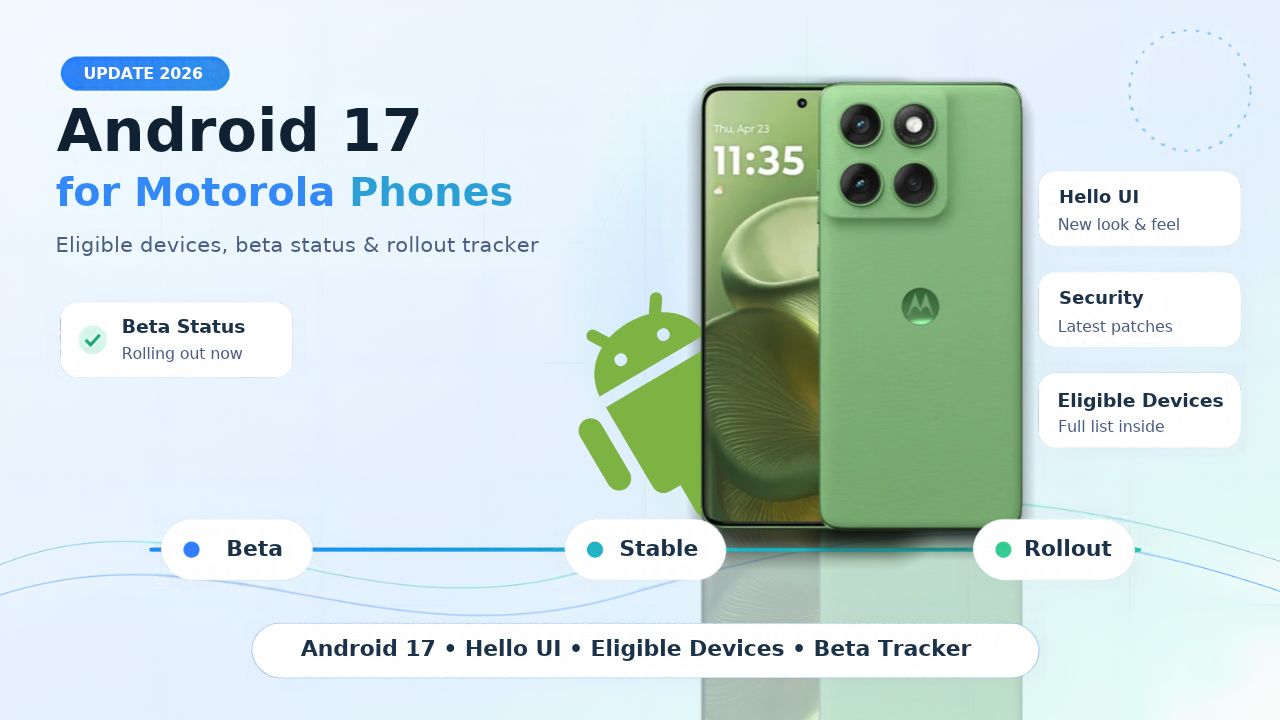
Android 17 will soon be arriving on Motorola handsets. The firm has also confirmed which devices in the Signature, Edge, Razr and Moto G series will receive the new software. Now that you’re reading this, if you have a Motorola, check if your handset is on this list. Below, we have compiled the full list of compatible phones and information on the current update progress. Then we’ll explain what you should be doing in the meantime.
Please note that the update list is from Motorola Brazil, and so is not India-focused. It can therefore only be used to determine if your Motorola is compatible with Android 17. Continue reading to see if you are on the list and prepare for the update.
Motorola Phones Already Receiving Android 17
Nine models have begun receiving the stable Android 17 build; here’s the list:
Motorola Signature
Motorola Edge 70
Motorola Edge 70 Fusion
Motorola Edge 70 Fusion+
Motorola Edge 60 Pro
Motorola Razr 70 Ultra (Razr Ultra 2026)
Motorola Razr 50 Ultra (Razr+ 2024)
Motorola Razr Fold
Moto G86
Motorola has confirmed that these nine phones are receiving the stable, official version of Android 17. It rolls out in phases, so it may not have reached your phone yet.
Motorola Phones Expected to Get Android 17 Soon
Twenty more models are confirmed for the update. Motorola has not announced model-specific dates, so expect a gradual rollout over the coming months.
Motorola Edge Series
Edge 70 Pro
Edge 60
Edge 60 Neo
Edge 60 Fusion
Edge 50 Neo
Edge 50 Fusion
Edge 50 Pro
Edge 50 Ultra
Motorola Razr Series
Razr 70 (Razr 2026)
Razr 60 (Razr 2025)
Razr 60 Ultra (Razr Ultra 2025)
Razr 50 (Razr 2024)
Moto G Series
Moto G77
Moto G75
Moto G67
Moto G57
Moto G56
Moto G47
Moto G37
Moto G Max
Several older devices, including the Edge 50 series and Razr 50, appear here. Being named means Motorola has committed to the update, even if your turn comes later.
Android 17 Rollout Timeline: When Will It Reach You?
No device-by-device schedule has been confirmed. Updates rarely arrive everywhere at once, and four factors influence timing:
Region: Motorola may release the update in different countries at different times, so Brazil may receive it before India.
Device model: Premium and budget phones often follow separate schedules.
Carrier: Carrier testing and approval can delay availability.
Software testing: Motorola may pause a rollout to fix bugs and improve stability.
Indian users should monitor Motorola India's official support channels for accurate availability updates.
How to Check for and Install Android 17
If your phone is eligible, you can check the update manually by following these simple steps:
Open Settings.
Tap System.
Select System updates.
Tap Check for updates.
If Android 17 is available, follow the on-screen prompts to download and install it.
If nothing appears, check again every few days while the rollout is underway.
Before installing:
Charge the battery well.
Use a stable Wi-Fi connection.
Free up enough storage.
Back up important data.
What If Your Motorola Phone Isn't Eligible?
Your phone will keep working normally, though you will miss some newer Android features. Consider the following:
Check security updates: Your phone may still receive security patches without Android 17.
Review Motorola's support policy: Confirm how long your model will receive software and security updates.
Evaluate the device: If it is slow, its battery is weak, and updates have stopped, an upgrade may be worthwhile.
Base your decision on performance, battery health, security support, and daily usage rather than the list alone. If you decide to upgrade, sell your old phone on SellnService and put the value toward your next device.
Final Thoughts
Motorola has added Android 17 updates to 29 devices, including all Signature, Edge, Razr, and Moto G devices. 9 are currently on the stable version, and 20 more will receive the update in the future. Due to differences in markets, models and service providers, not all devices are updated at the same time.
Check both your System updates settings and Motorola news pages. If your device isn't on the update list, analyse its security and functionality to determine if it should be upgraded, and if it's time to move on, consider a platform like SellNService to sell your old phone before you buy the next one.
FAQ
Q1. How many Motorola phones can upgrade to Android 17?
There are 29 confirmed Motorola handsets receiving updates.
Q2. Which Motorola phones are currently getting Android 17?
Nine models are already rolling out the Android 17 update. These include Signature, Edge 70, Edge 60 Pro, Razr 70 Ultra and Moto G86.
Q3. Will the Motorola Edge 50 Pro receive Android 17?
Yes, it is also on the list of compatible handsets and will roll out at a future date.
Q4. When will Motorola phones receive Android 17 in India?
Whilst no official dates have been announced, delivery dates may also depend on which model you have and where in the world you are located.
Q5. How do I see if my Motorola phone can upgrade to Android 17?
In your Settings, select System, then System updates. Tap on ‘Check for updates’.